14+ Workflows Handled — Out of the Box
Every workflow below is live from day one — no setup scripts, no developer involvement required.
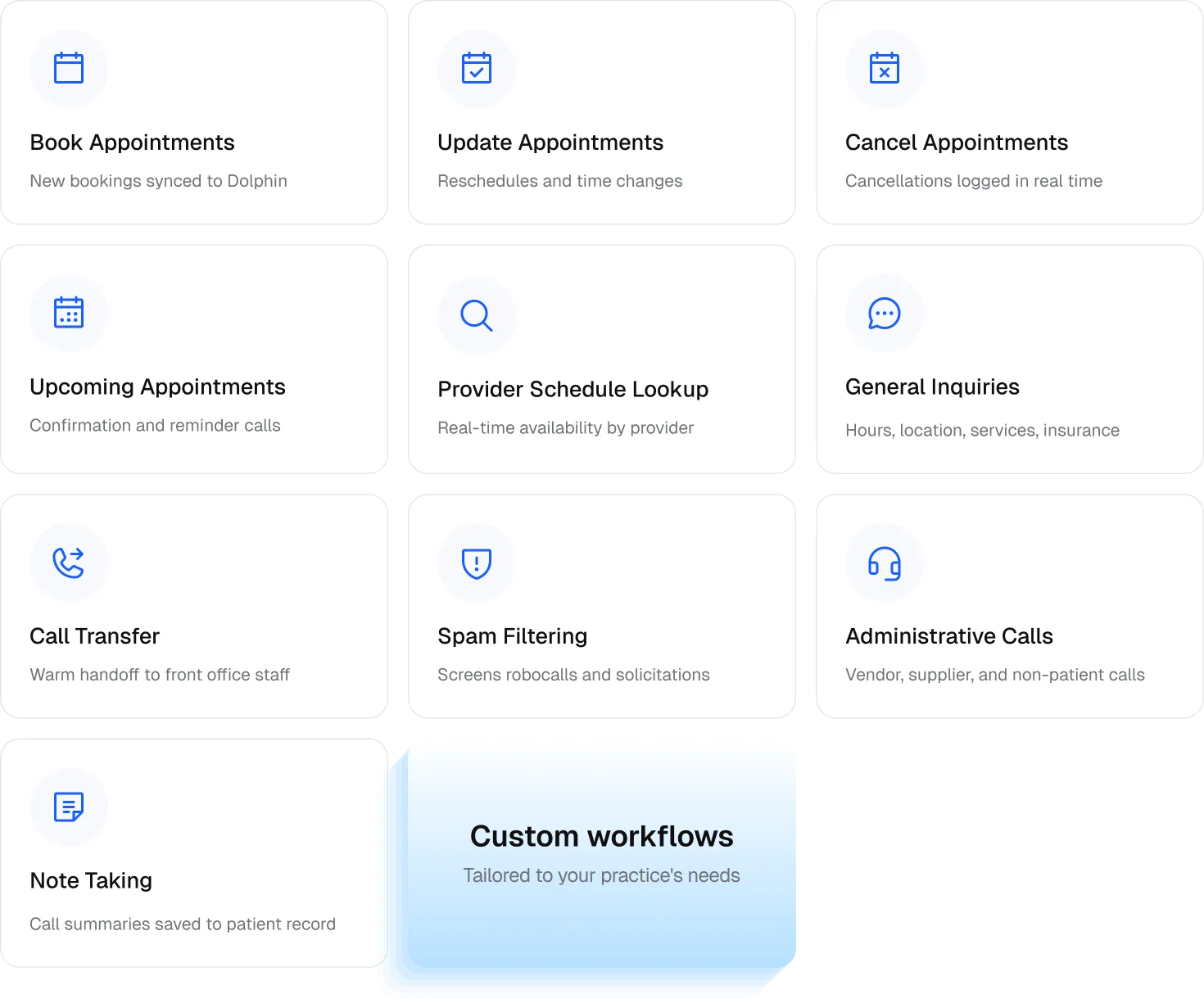
What Your Practice Gets with Kickcall + Dolphin
- An AI Receptionist That Speaks Dolphin's Language— Patients interact with your practice the same way they do today, without any change to their experience. From treatment phases to provider schedules to multi-location configurations, Kickcall understands how Dolphin orthodontic practices are structured.
- Live Dolphin Sync— Bookings, reschedules, and cancellations update in your Dolphin schedule in real time — no double entry, ever. Everything the AI does reflects instantly in Dolphin Management. One system, one source of truth.
- Spam Filtering— Block spam calls and reduce routine call volume by up to 80%, so your team can focus entirely on chairside patient care.
- Agent Memory— Every call is personalized from the moment it begins. The AI receptionist already knows the patient's history and preferred provider before the conversation starts.
- Smart Escalation— Urgent and complex calls are seamlessly transferred to the right team member in real time with complete context.
- Natural Conversations— Patients can ask real questions like "What's the earliest available adjustment appointment?" or "Can I book with my last orthodontist?" and get accurate, real-time answers.
- Custom Workflows— Beyond the core integration, custom workflows are available on request.
- 24/7 Call Coverage— Never miss a patient call, even after hours, on weekends, or during lunch.
- Telephony Integration— Kickcall integrates with your existing phone system, whether you're using RingCentral, Vonage, Zoom Phone, Google Voice, or a local VoIP provider.
- Multilingual Support— Automatically responds in the caller's language, ideal for the diverse patient communities orthodontic practices serve.
- Reduced No-Shows— Automated confirmations and reminders keep your schedule full.
- More Revenue, Less Overhead— Fill more chairs without adding front desk headcount.
Built for Healthcare, with Data Privacy at its Core
Patient confidentiality is at the core of how Kickcall is built. Kickcall is fully HIPAA and PIPEDA compliant, and follows best practices aligned with PHIPA requirements — covering the privacy and security standards that orthodontic and specialty dental practices must uphold across the US and Canada.
All voice interactions are end-to-end encrypted, and the Kickcall-built connector communicates with Dolphin through secure channels — so your patients' personal and clinical information stays protected at every step of every call. Visit security.kickcall.ai for full details.
Simple Setup. Live in 48 Hours.
We handle the setup. You focus on your patients. Three steps and your AI voice receptionist is answering calls.

Frequently Asked Questions
1. How does Kickcall connect with Dolphin?
Kickcall connects with Dolphin via NexHealth — allowing us to securely connect with your Dolphin account.
2. Will Kickcall work with my existing phone system?
Kickcall integrates with your existing phone system and works alongside your telephony provider, whether you're using RingCentral, Vonage, Zoom Phone, Google Voice, or a local managed VoIP service provider.
3. Do I need to change my Dolphin workflows to use Kickcall?
No. Kickcall is built to work around how your practice already operates — it fits into your Dolphin workflows without any reconfiguration, staff retraining, or changes to your scheduling setup.
4. Can Kickcall book, reschedule, and cancel appointments in Dolphin?
Yes. When a patient calls, Kickcall checks your live Dolphin schedule, offers available appointment slots, and books the appointment in your Dolphin calendar. Rescheduling and cancellations are handled the same way. Your front desk team sees every change instantly, just as if a staff member had made it.
5. How do you handle data security?
Kickcall is fully HIPAA and PIPEDA compliant, and SOC 2 certified. All voice interactions are end-to-end encrypted. For further details, visit security.kickcall.ai. Your data stays yours — always.
6. Do I need to manually keep Kickcall updated when my schedule or office hours change?
No. Kickcall reads your schedule from Dolphin in real time. Any changes to provider schedules, operatory availability, or office hours are automatically reflected in Kickcall. Simply update your schedule in Dolphin, and Kickcall stays in sync.
7. How long does onboarding take for Dolphin practices?
Most Dolphin practices are live within 48 hours. If custom workflows are needed for your practice configuration, it may take additional time. Your dedicated account manager will keep you informed at every step.
8. Is there a long-term contract?
No. There is no long-term contract — you can cancel at any time with no cancellation fees and no penalties.
9. Do you sign a Business Associate Agreement (BAA)?
Yes. Kickcall signs a Business Associate Agreement (BAA) upon request. Contact your dedicated account manager to request one at any time.