How It Works ?
Step 1 — Get your Kickcall API key Log in to your Kickcall dashboard, go to API Keys, and create or copy an existing key.
Step 2 — Install Kickcall AI from the GoHighLevel Marketplace Install the app on the sub-account where you want to use Kickcall, then complete authentication with your Kickcall API key.
Step 3 — Add Kickcall actions to your workflows Use the Create Phone Call and Get Call actions inside any GoHighLevel workflow to trigger outbound calls and pull back results.
Step 4 — Let calls update your calendar and CRM automatically Bookings, reschedules, cancellations, and call outcomes sync directly into GoHighLevel — no manual updates needed.
View Full Documentation Step-by-step setup and integration guide Kickcall + GoHighLevel Integration Guide →(Covers full field configuration, dynamic variables, sample payloads, recommended workflow patterns, and troubleshooting.)
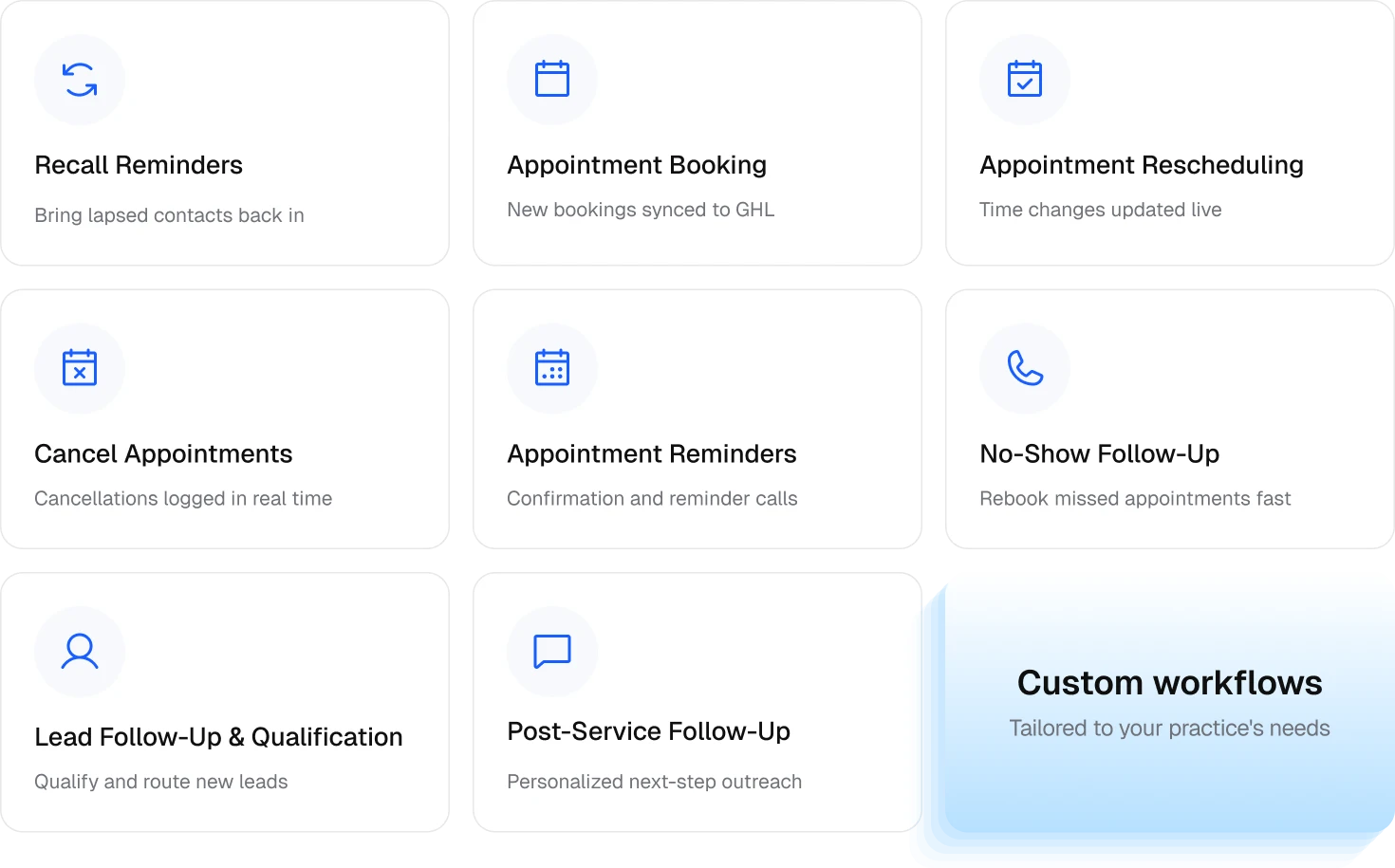
Outbound Workflows Handled — Right Inside GoHighLevel
Every workflow below can be triggered from GoHighLevel and runs through Kickcall's AI voice agent, with results and calendar changes written straight back into GHL.
What Your GoHighLevel Workflows Get ?
- Trigger Outbound Calls From Any Workflow — New contact, form submission, tag, pipeline stage, or appointment status change can all kick off a Kickcall AI call.
- Direct Calendar Sync — Bookings, reschedules, and cancellations made during a call update your GoHighLevel calendar in real time, no double entry.
- Dynamic Variables — Pass contact name, appointment details, service type, or any custom field into the AI agent before the call starts.
- Call Outcomes Feed Back Automatically — Status, duration, summary, transcript, and recording details are retrievable and can drive conditions, tags, and pipeline moves.
- Multilingual Conversations — The AI agent automatically responds in the caller's language.
- 24/7 Coverage — Calls can be triggered and handled around the clock, not just during business hours.
Built for Healthcare, With Data Privacy at Its Core
Kickcall is fully HIPAA , PIPEDA and SOC 2 compliant, with end-to-end encryption on all voice interactions. Business Associate Agreements (BAAs) are available on request — making Kickcall a trusted fit for health, medical, and spa & wellness businesses running outbound calling inside GoHighLevel.
Frequently Asked Questions
1. What actions does Kickcall provide in GoHighLevel?
Create Phone Call, which starts an outbound call, and Get Call, which retrieves the details of a call you created earlier.
2. Can Kickcall book, reschedule, or cancel appointments directly on my GoHighLevel calendar?
Yes. When the AI agent handles a call, any booking, reschedule, or cancellation is written directly to your GoHighLevel calendar in real time — no manual entry needed.
3. Does Kickcall support recall reminder calls?
Yes. Recall reminder calls can be triggered from any GoHighLevel workflow to bring lapsed contacts back in and rebook them directly on your calendar.
4. Do I need to change my existing GoHighLevel workflows to use Kickcall?
No. Kickcall is built to sit inside the workflows you already have — it adds calling as an action within your existing triggers, pipelines, and automations, without requiring you to rebuild anything.
5. Is Kickcall HIPAA compliant?
Yes. Kickcall is HIPAA and SOC 2 compliant, with end-to-end encrypted voice interactions and BAAs available on request.