A2P 10DLC Compliance
Kickcall is a platform owned and operated by Nextbrand.online Inc. We ensure full A2P compliance by collecting explicit consent before sending any SMS. Here's how our opt-in and opt-out process works.


01
01
User Signs Up / Logs In with Email
Users agree to Terms and Conditions and Privacy Policy before accessing the platform.

Initial Consent at Sign-Up
User enters their email address to create an account or log in. User must check "I agree to Terms and Conditions and Privacy Policy" before proceeding. This establishes the initial legal agreement before any SMS consent is collected.
02
02
User Adds Phone Number in Operator Settings
Explicit consent is collected at the point of phone number entry.
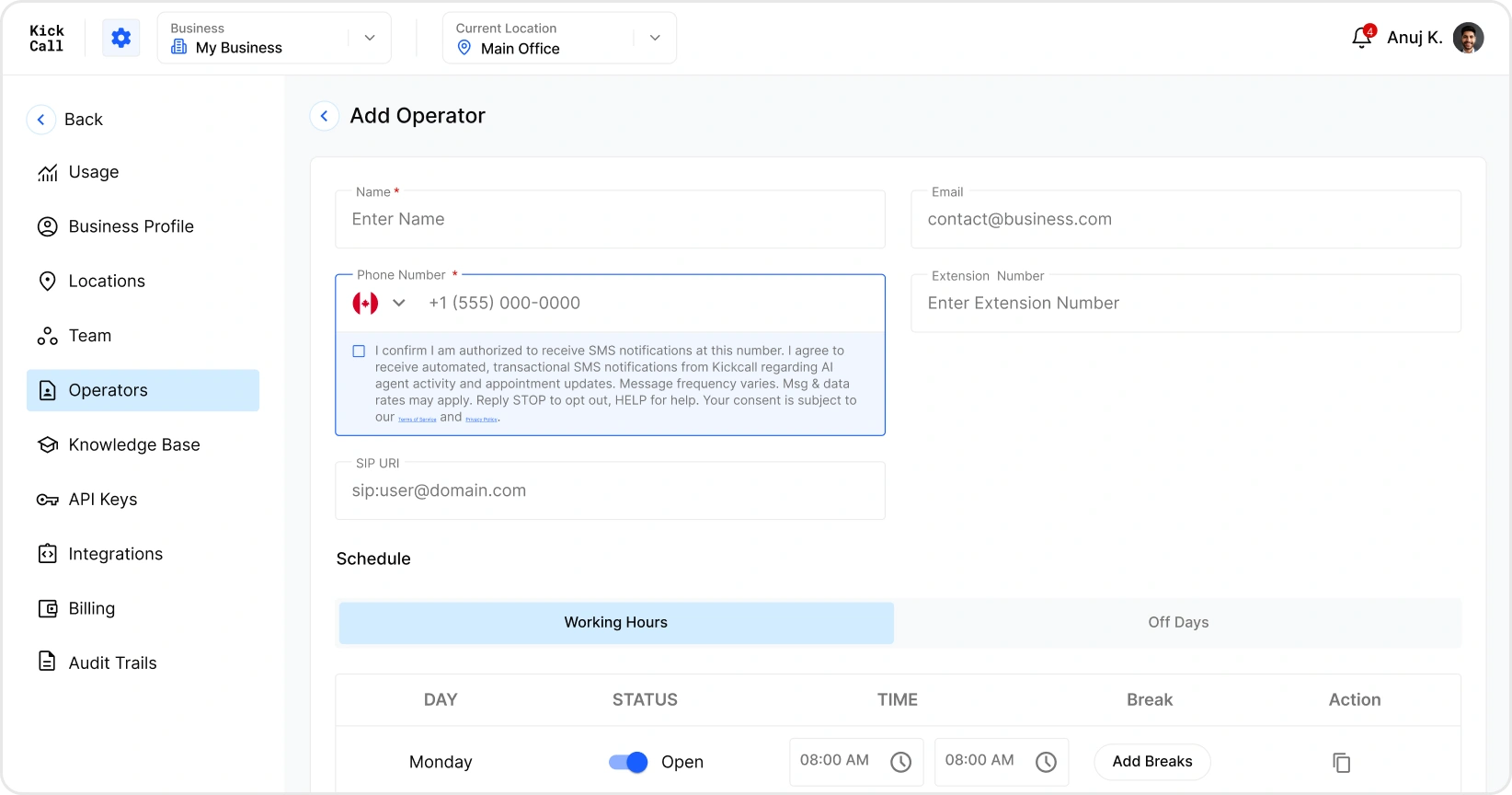
Consent Language Displayed
"I confirm I am authorized to receive SMS notifications at this number. I agree to receive automated, transactional SMS notifications from Kickcall regarding AI agent activity and appointment updates. Message frequency varies. Msg & data rates may apply. Reply STOP to opt out, HELP for help."
This consent disclosure is displayed directly below the phone number field before the user saves their information. The user must voluntarily enter their phone number; it is neither pre-filled nor assumed. The consent checkbox is unchecked by default, and the form cannot be submitted unless the business administrator actively checks the box.
03
03
Select Operators for SMS Notifications in Agent Builder
SMS is only sent to operators explicitly selected by the account admin.
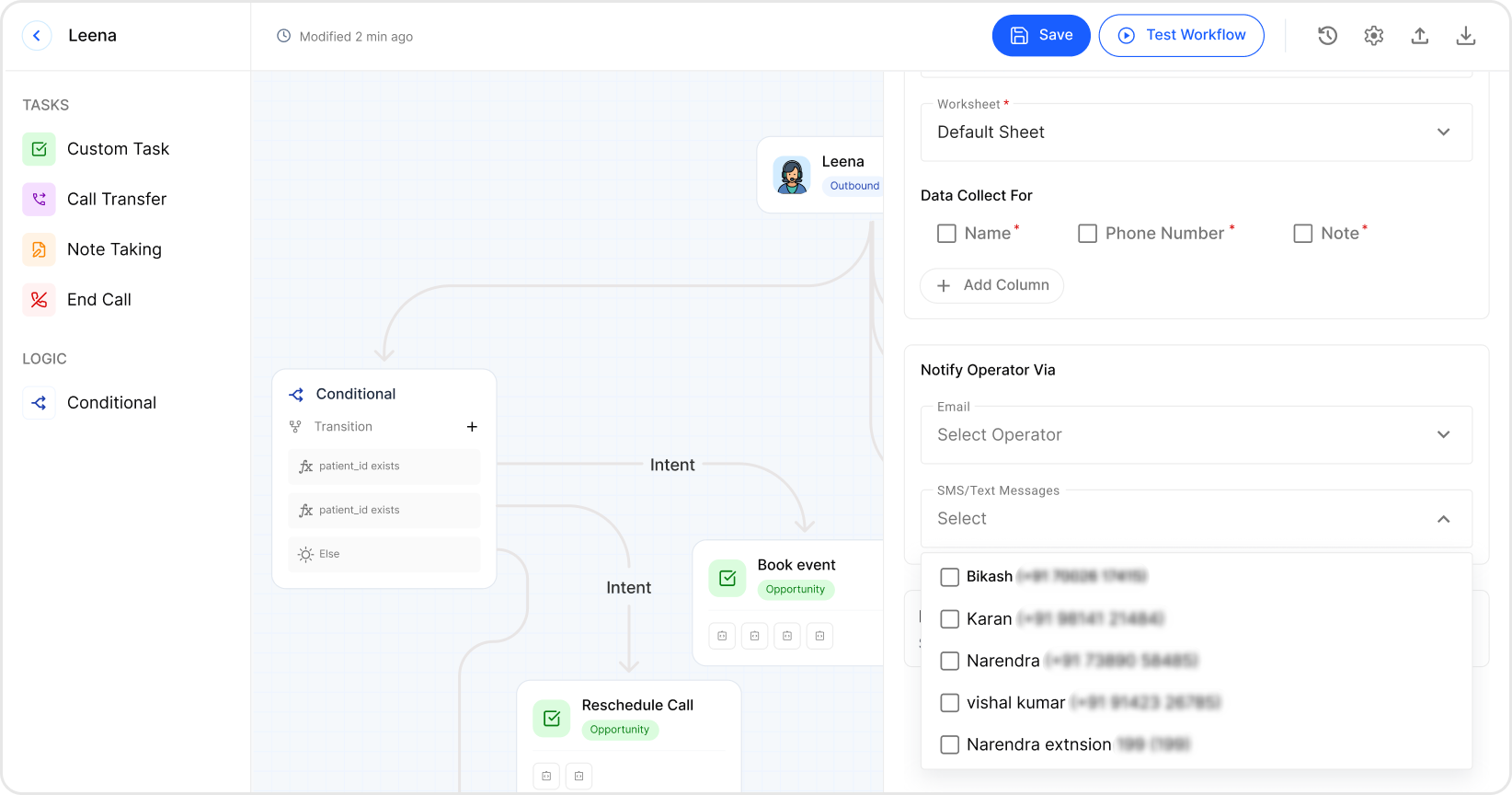
How It Works
The account admin configures AI agent workflows in the Agent Builder. Under "Notify Operator Via → SMS/Text Messages," they select which operators should receive SMS notifications. Only operators who have provided their phone number (with consent in Step 1) appear in this list. No SMS is sent unless the operator is explicitly checked and the workflow is saved.
04
04
Opt-Out Process
Users can stop receiving SMS at any time through multiple methods.
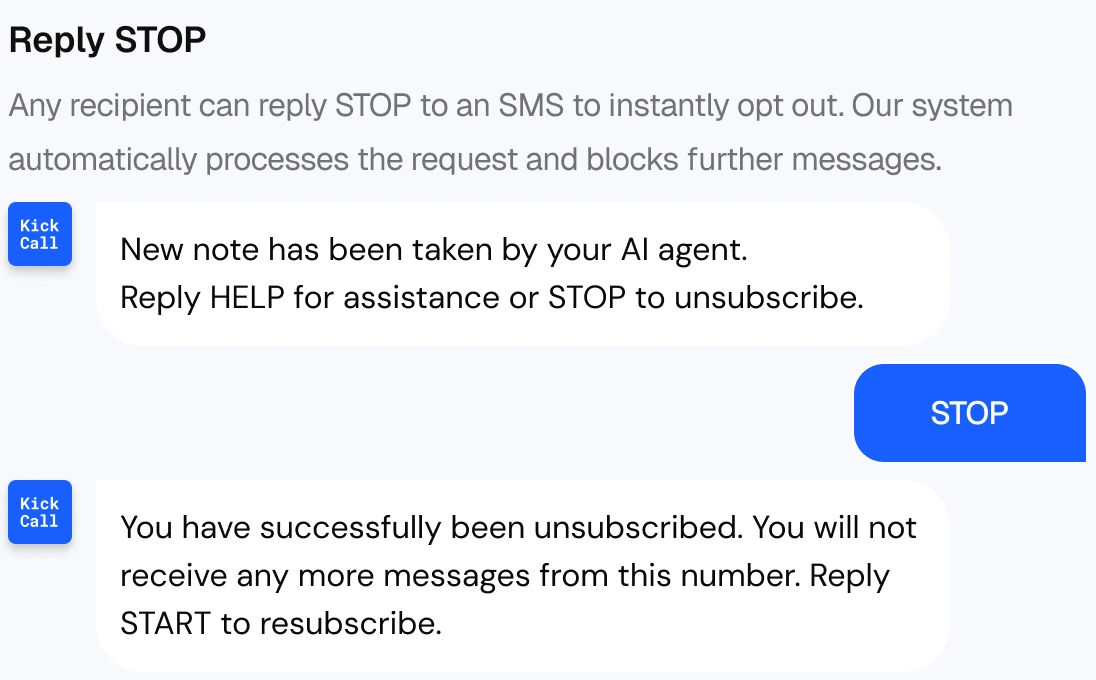
Users can also opt out by:
Remove from Platform
Removing their phone number from Operator settings Admin unchecking the operator from SMS notifications in Agent Builder Deleting the operator account entirely
Requirement
How Kickcall Meets It
Opt-In Consent
Consent disclosure shown when user provides phone number in Operator settings
Message Purpose
SMS notifications for AI agent call summaries and alerts — configured per workflow
Opt-Out via SMS
Reply STOP to immediately unsubscribe; reply START to re-subscribe
Opt-Out via Platform
Remove phone number or uncheck operator from SMS notifications
Data Rates Disclosure
"Message and data rates may apply" shown at consent point
Terms & Privacy Links
Links to Terms of Service and Privacy Policy displayed at consent point